Guide
Introduction
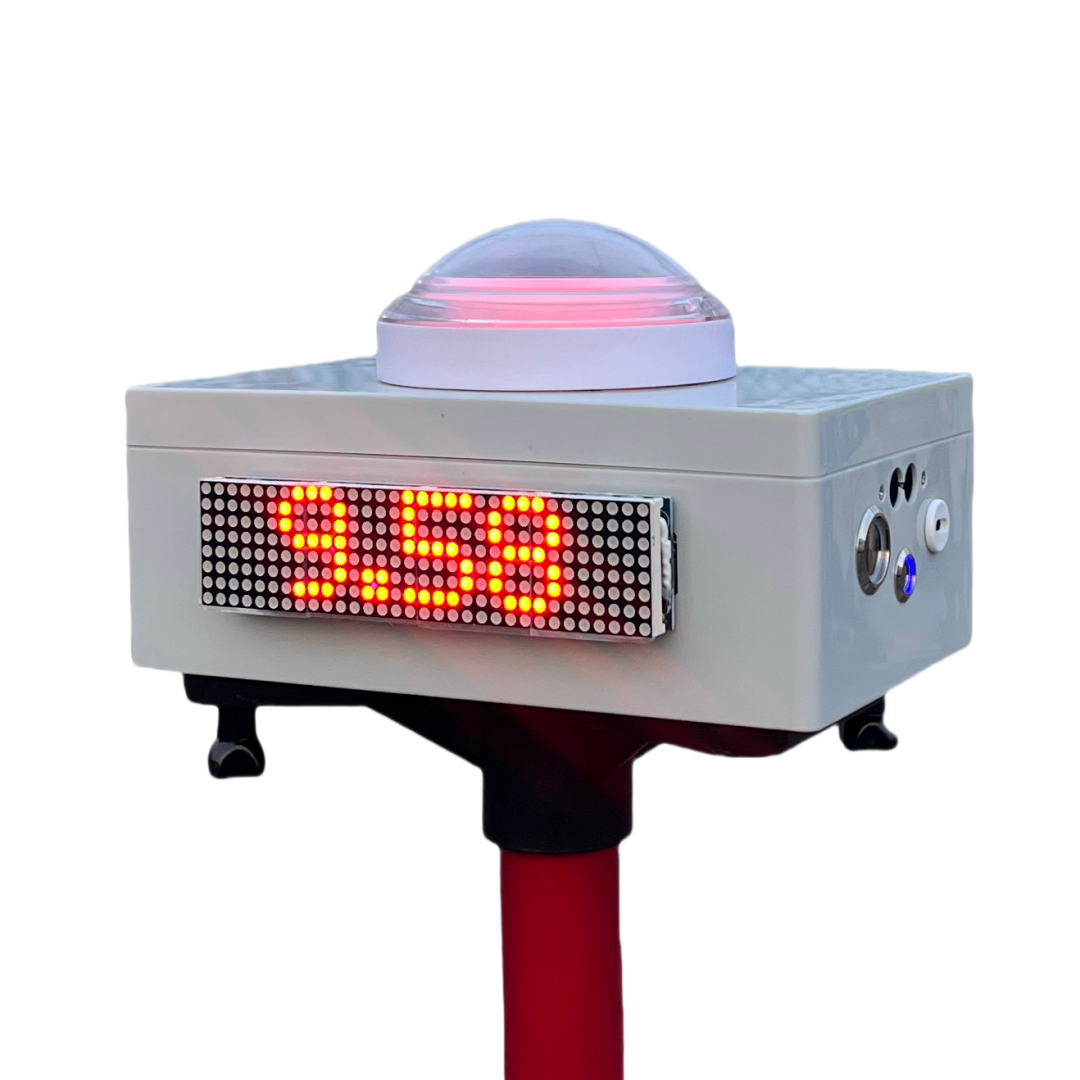
The IORI timer is a simple and easy to use that can quickly assist coaches in completing test evaluations of team members and can also be a powerful tool to individual training.
Why do it
I personally run a non-profit football camp for adults that we train once a week. I also work as a part-time weekend coach for some youth clubs. There is always the problem of how to evaluate the players in the long-term training.
Evaluation tests, which involve practical exercises designed specifically to obtain the most precise and objective data possible from the basic game components forming part of the teaching content. This type of evaluation is also known as the quantitative method.
-- UEFA Fusal Coaching Manual
Evaluation is an essential part of training, so do we have tools to use?
Why Not...?
Stopwatch
Stopwatches, including mobile phones and sports watches, have timing functions. But there are two disadvantages. You need someone to help you set the watch. Second, there are certain errors in the beginning and end of the hand pinch. We can replace the function of a stopwatch that can be completely replaced, and the time is visible and easy to video record.
Infrared/laser timer
To judge the beginning and end by a non-contact way is indeed the most accurate way at present, and does not affect sports performance at all. However, its price is also very expensive, the equipment is not convenient to carry, and the operation threshold of the equipment is relatively high. Our operation is much simpler, even the children can fully master.
IORI timer advantage
- No Reflector Needed
Just power it on and you're ready to go—no setup hassle. - Unaffected by Sunlight
Even under direct noon sun, the timer remains stable and accurate. - Split Timing or Multi-Lane Timing
Multiple modes supported with easy switching. - Up to 10 Hours of Battery Life
Fully charges in 3 hours, lasts over 10 hours of continuous use.
Getting Started
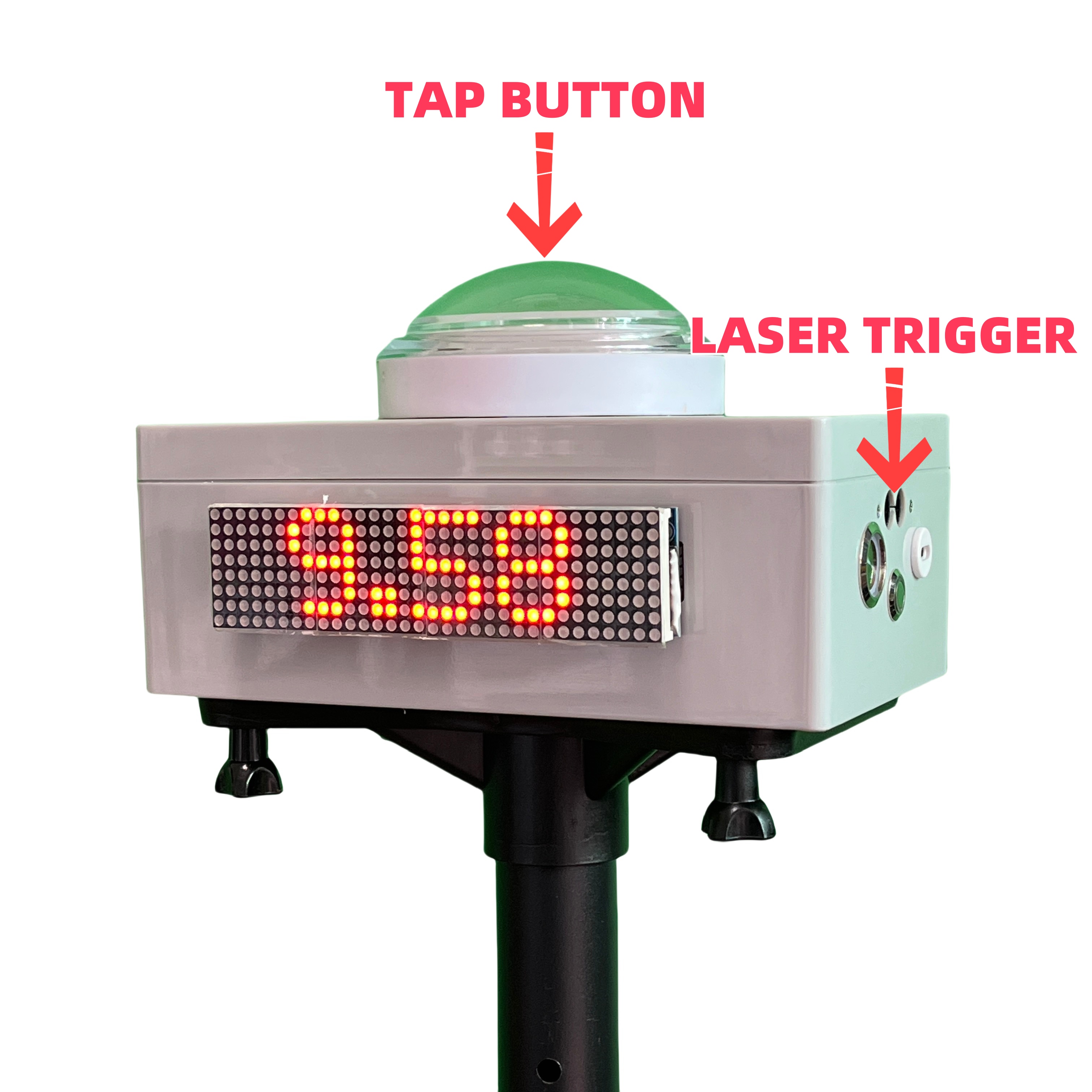
- Long Press to READY,
- Release to START,
- Laser Trigger to STOP,
- Long Press READY again.
How it works?
Laser trigger not need relector
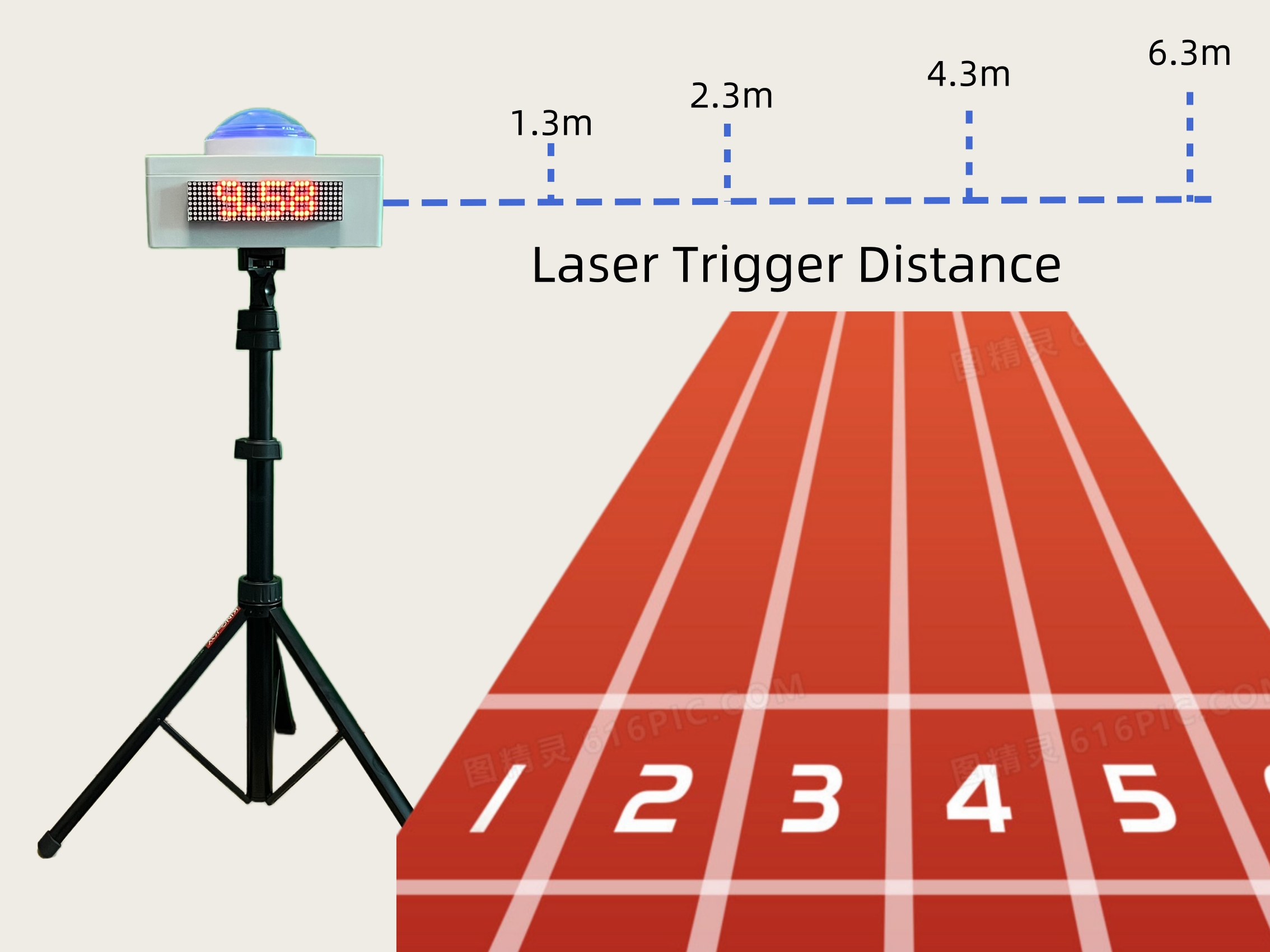
The timer utilizes eye-safe infrared laser, eliminating the need for reflector. By default, it operates over a trigger distance of 1.3 meters, easily covering the width of a standard track. For different sports need, the trigger distance can be adjusted to 2.3, 4.3, or 6.3 meters, offering flexibility for a variety of environments.
Wireless connect long way
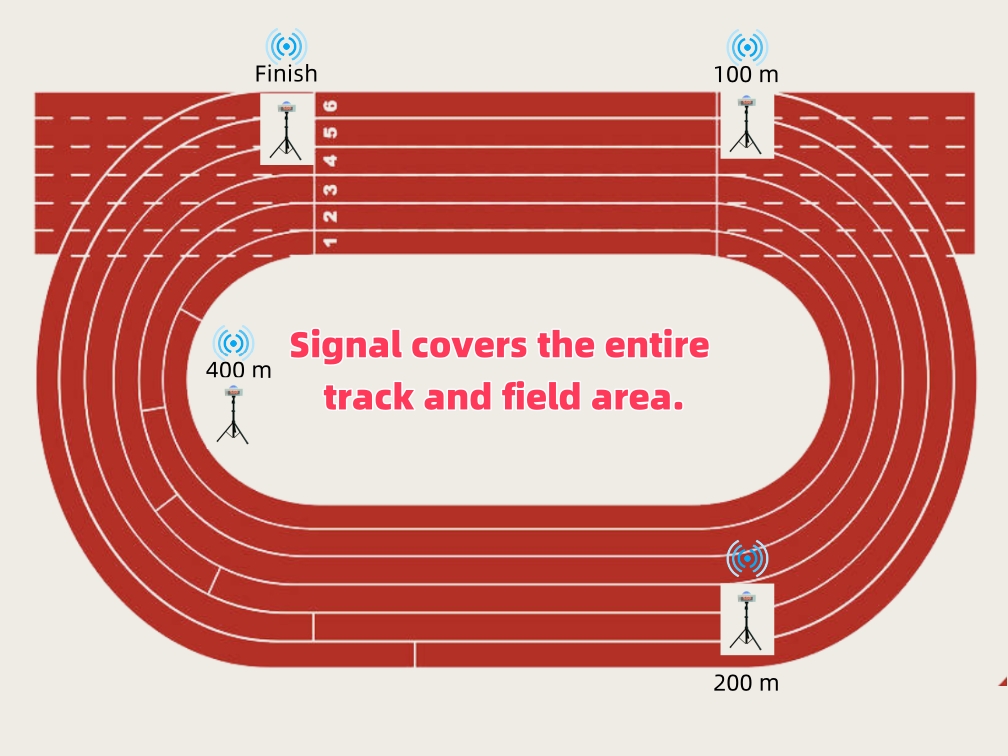
The IORI timer uses a long-range wireless protocol to connect over distances greater than 200 meters with stable and reliable control. It supports simultaneous connection of up to 11 devices, making it ideal for creating a 100m split timing system. This ensures accurate timing across different points on the track, providing flexibility and precision for various sporting events.
How to use?
IORI Timer supports almost all sprint and agility test. Let me show you.
Track and Field
Normally, you’ll need a friend to help you with the start. Hold down READY for set, and release it while calling GO — this will include your reaction time. The finish is triggered by the laser sensor.
Flying test
In the past, it was difficult to get accurate data for flying sprints when using a stopwatch. Now, you can place the timers wherever you need and get precise times for any segment. We support laser-triggered starts, and the finish is also activated by a laser sensor.
40 Yard Dash
According to NFL Combine standards, the 40-yard dash timing starts only after the athlete begins to move. Therefore, the athlete can manually press the timer to get ready and start from a 3-point stance — this setup excludes reaction time and closely replicates the official NFL test. The finish is still triggered by the laser sensor.
Modes and Settings
- Press and hold both the TAP button and the Power button (Side button) at the same time.
- Short press TAP button for switch options, long press to confirm.
Mode: Prefix M.
- TAP: Default mode.Used at the starting point for split timing, multi-lane timing, and fly run.
- SPT: Split mode. Used at the finish line for split timing or multi-lane timing.
- MORE: More mode options, long press to enter the submenu to select.
- SET: Automatic firing mode. The starting buzzer fires randomly between SET and GO, with a interval of 1.5-3.5 seconds. It can replace the TAP or PK mode at the starting line.
- ADD: Continuous trigger mode. Each trigger adds one result. Suitable for timing with 400 or 800m race.
- LAP: Lap mode, records the time for each lap. Suitable for roller skating.
- SHT: Shuttle run mode. The timer stops after triggering an additional certain number of times. Suitable for 5-10-5 test, it needs to be triggered twice before it stops.
- KEEP: Continue timing mode. Short press to pause or resume, long press to stop. Suitable for match timing.
- CNT: Counting mode, records one instance each time it is pressed or triggered. Suitable for counting exercises such as push-ups.
Setting: Prefix S.
- TWIN: Group settings. Devices in the same group automatically connect upon startup. Devices in different groups do not interfere with each other.
- A to G, Select group, then long press to confirm.
- OFF, Not participating in grouping, for standalone use.
- TRIG: Trigger settings(Only enable on mode TAP). Use STRT or BOTH for the starting point during the fly run.
- BOTH allows triggering of both start and end.
- STRT only allows triggering to begin.
- STOP (default) only allows triggering to stop.
- DIST: Trigger distance setting. Optional range: 1.3 meters (default) to 6.3 meters.
- DEC: Decimal point setting. Optional: 0.01 (default) hundredths and 0.001 thousandths.
Other
- BT...: Reset Bluetooth connection. Connect the mobile phone to control the video recording. The Bluetooth device is named “IORI xxx“.
- ABOUT: Displays the timer's model and software version.
TAP-R mode adds an independent preparation state (similar to clearing).
In the M.TAP menu, a quick double-click switches to TAP-R mode, and a long press confirms. Give it a try!
Menu differences
The menu above corresponds to software version 3.3.0. Menu items may vary slightly in different software versions.
Mounting Options
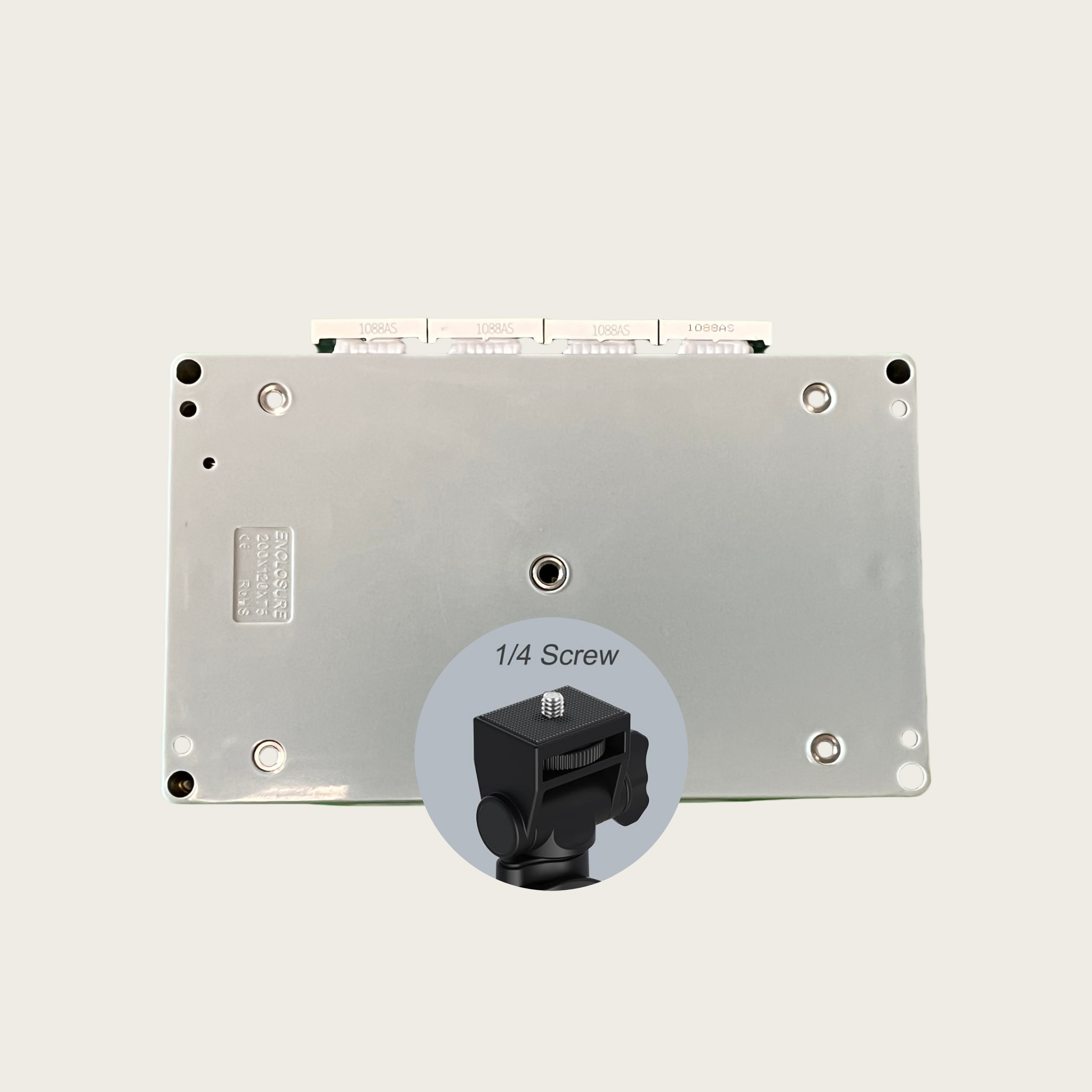
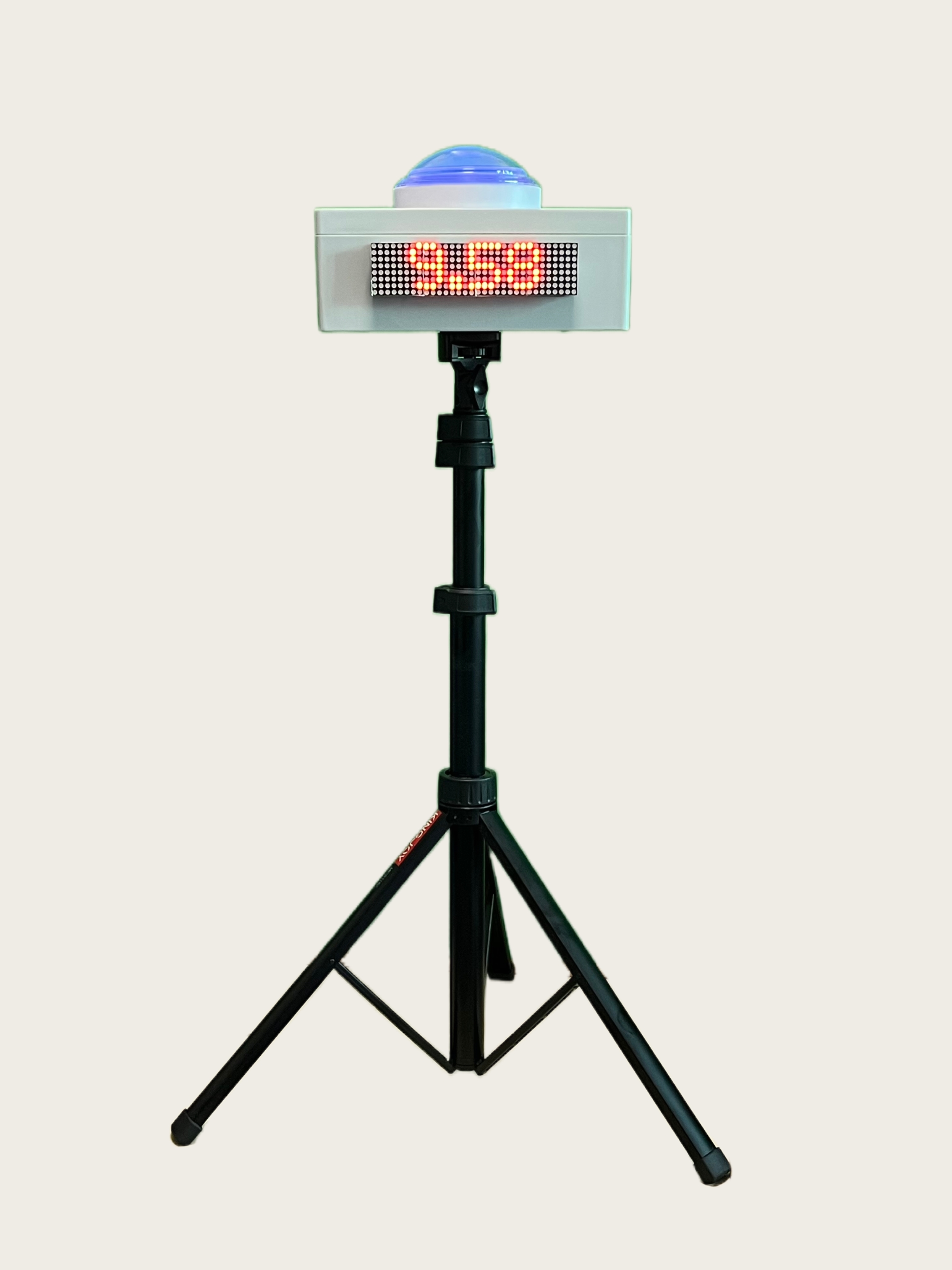
Portable Tripod
Compatible with standard 1/4 screw tripod mounts, making it easy to use on the go.
Other Mounting Options
You can place the device anywhere that suits your needs—on a jump box, a chair, or even handheld. The versatile design ensures you can adapt the setup to any environment, providing flexibility for different activities.
Charging instructions
Charge the device with a Type-C interface charger. The power light turns red during charging and goes off when fully charged. After actual testing, it takes about 3 hours to fully charge and the battery can last for 10 hours when fully charged.
Contact Us
We’ve posted lots of real testing videos on IG and TikTok. Follow us for more.
- Instagram: https://www.instagram.com/iori.speed/
- TikTok: https://www.tiktok.com/@ioritimer
You can also contact me by email or join our WhatsApp fan group.
- Email: ioritimer@gmail.com
- Whatsapp Group: IORI Speed
About Us
The product is designed by Shenzhen YQT Football Camp team.
Many thanks to Coach Lu, Juca Grajau (Brazil) of Shenzhen FC116 Club, Coach Yang Bin of Shenzhen Rangers Club, Coach Xu Jianning of Xiamen City, Coach Yang of Wuhan Huangbei Jianxiao Club, and Coach Zhao of Football Salon. Many helpful suggestions were given during development and testing.